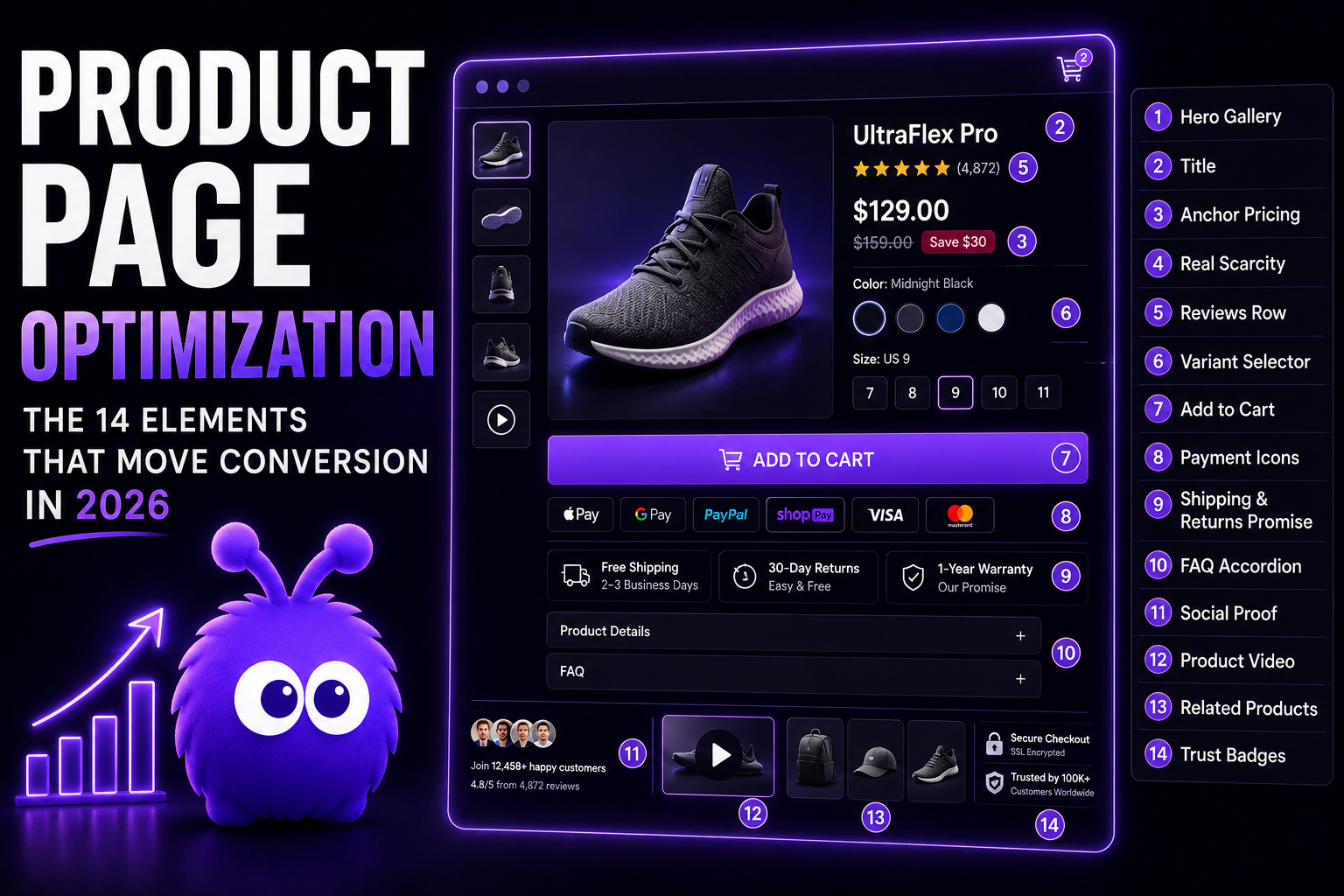
A 2018 product detail page got by with four things: an image, a title, a price, and an Add to Cart button. The 2026 version carries fourteen, and the gains stack — but only if you build them in the right order.
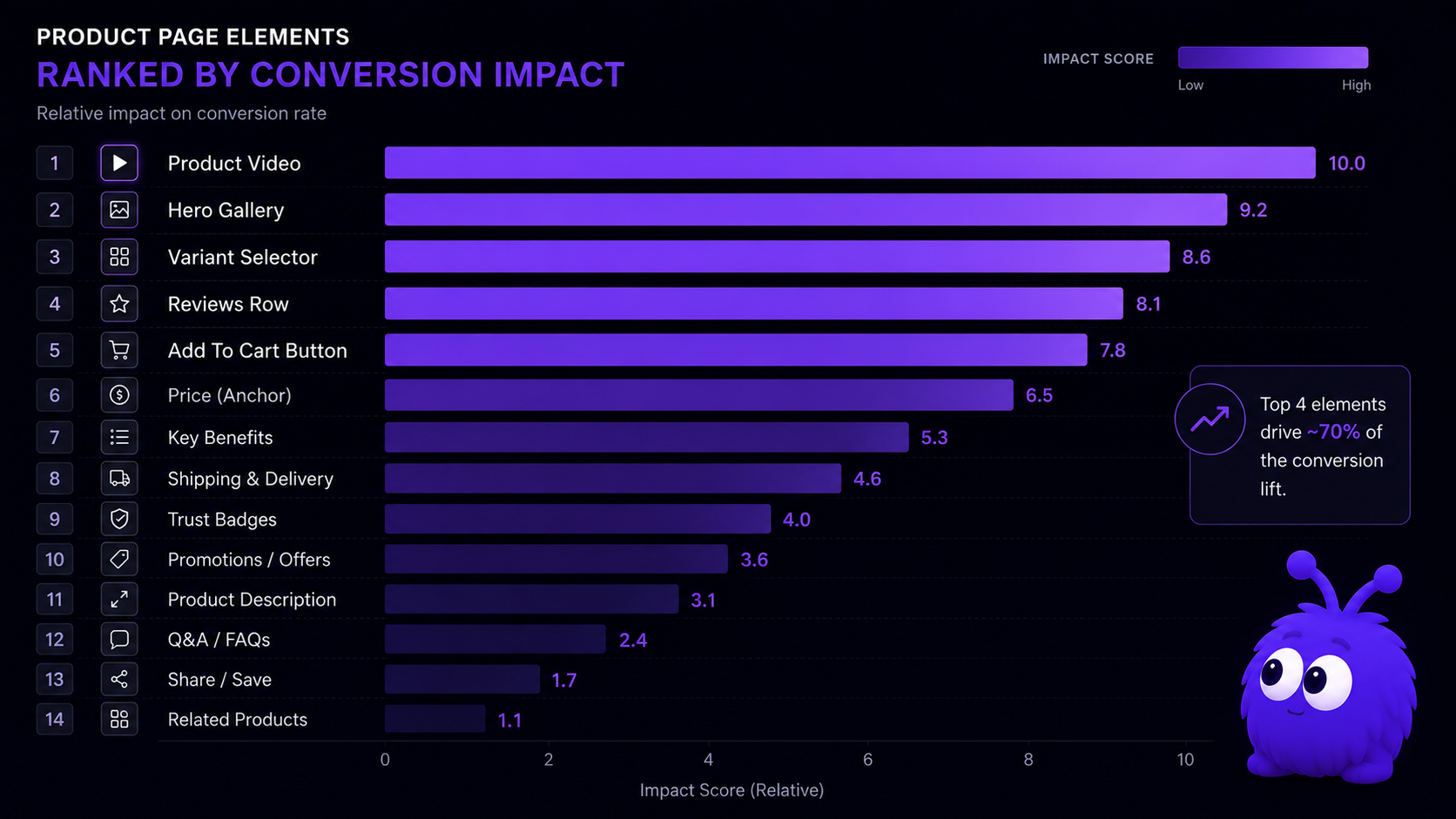
The 14 elements, ranked by 2026 CVR impact
The elements overlap, and several substitute for one another. Order still matters: ship elements 1 through 4 first and you capture most of the available lift before you ever reach element 9.
Why is product video the largest 2026 lever?
The Baymard Institute 2026 panel measured CVR with and without product video on 1,400 product pages across 31 verticals.
The mechanism is friction removal in two places. Returns anxiety — a visitor who cannot tell whether a sweater drapes correctly is one who delays purchase; video resolves the question pre-purchase. Spec verification time — a 200-word description and five specs takes 30-45 seconds to parse; a 25-second product video gets the same information faster. Spec friction is one of the five friction points — clarity — and video shrinks time-to-clarity.
The video that works is not a polished commercial. The 2026 cohort data favors 20-40-second loop-style videos showing the product from three angles, ideally in use, with no voiceover. The goal is information, not aesthetics.
How does the hero gallery actually work in 2026?
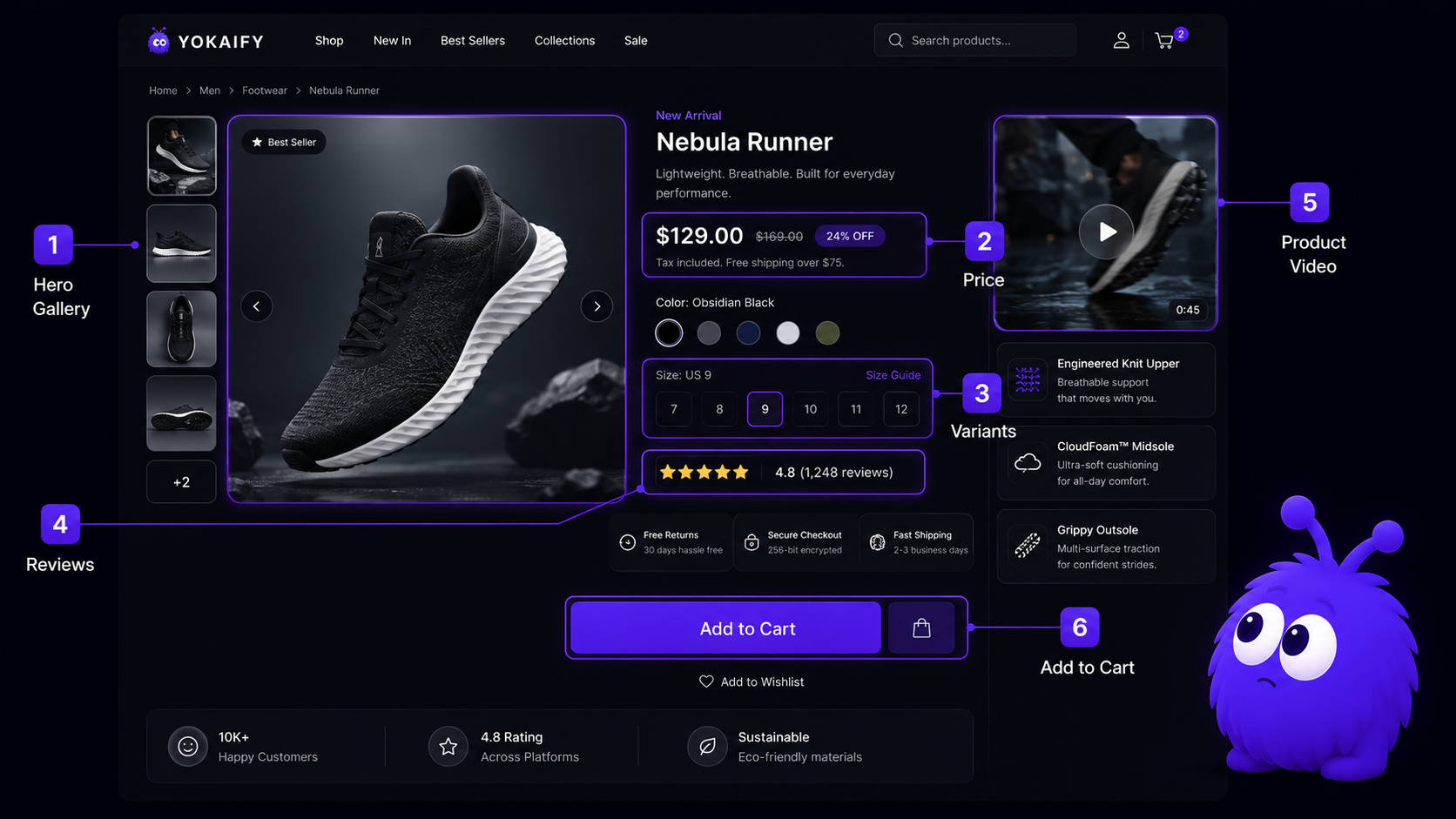
The 2026 hero is a gallery of 4-7 images with zoom: lifestyle (one), product-on-white (two-three), detail shot (one-two), scale reference (one). Swipeable on mobile, click-to-zoom on desktop. The split tracks where spec friction lives.
Variant selectors: the disproportionately broken element
The Baymard 2026 panel found 8-15% of variant-page bounce is attributable to variant-selector design issues alone (Baymard Institute, 2026). The four canonical mistakes: selectors that do not show stock state inline (visitor picks a variant, hits Add to Cart, discovers it's out of stock); selectors that reload the page on selection (resets scroll, adds 200-800ms latency); color names that do not match the swatches (three different beiges named differently); and size selectors without an inline size guide (visitor leaves to find it, many leave entirely). A size picker that sends shoppers off to hunt for a chart is, in effect, politely showing them the door.
What about the FAQ accordion?
The 2026 best-practice format: 4-8 questions, each phrased the way a visitor would search ("Does this come in a wide width?" not "Width information"), each answer 1-3 sentences, the accordion expanded for the first question by default. For chat-enabled stores, the FAQ plus proactive chat reference compound: FAQ handles common questions, chat handles the long-tail.
Real scarcity vs fake scarcity
The FTC 2024 endorsement guides and the ICO 2026 dark-patterns guidance both name fabricated scarcity ("Only 3 left!" when stock is 80 units) as a deceptive practice subject to enforcement (FTC, 2024; ICO, 2026).
Real scarcity, sourced from inventory data, produces a 1-2% absolute CVR lift on stock genuinely below 10 units (Baymard Institute, 2026). The mechanism is loss aversion (Kahneman and Tversky, 1979). Three rules: tie the cue to actual inventory; refresh when inventory changes (permanent low-stock signals erode trust); pair scarcity with a back-in-stock alert as the loss-framed extension. Fake scarcity tests as a one-pass week-one lift then collapses; the social proof in ecommerce coverage documents the decay curve.
Where do trust badges and social-proof banners belong?
Below the primary Add to Cart, above the FAQ. Both are reassurance, not persuasion. Social-proof banners work when honest and specific — a vague "Trusted by Fortune 500 companies" with no names barely moves the needle, while a specific "Used by 12,000 stores including [public reference customers]" earns a small but real lift.
Recent-purchase tickers have crossed into banner blindness territory. The Wynter 2026 panel reported 71% of B2C shoppers visually skip them and 12% report negative trust impact (Wynter, 2026).
What this means for an operator optimizing PDPs in 2026
Build the page in priority order. Video, hero gallery, variant selector, reviews row, and a prominent Add to Cart deliver the bulk of the available lift; the remaining nine elements split the rest. Test variants of the high-impact elements with A/B testing per vertical, and ship the low-impact ones (trust badges, payment icons, FAQ) without a test, since their lift is reliable. Then pair the page with proactive chat that reads PDP-specific signals like hover-on-spec, dwell-on-price, and a scroll back to the reviews. Each is a behavioral intervention trigger that pays off once the page itself is solid.
One last way to hold it in your head: the product page is where the buying decision happens, which is why it repays the most attention. The 14 elements are not a checklist. They are a stack-ranked menu. Ship the top first, and do not ship the bottom without the top.
Further reading
- GuideThe 2026 CRO playbookThe broader CRO context the PDP work plugs into.
- GuideThe proactive chat playbookPDP-specific signal patterns and intervention shapes.
- BlogSocial proof in ecommerce 2026The deeper drill on review row, customer count, and recent-purchase tickers.
- BlogCheckout page optimizationThe next stage of the funnel after the PDP wins.
- ToolConversion rate benchmarkerSize the test against your baseline.
Frequently asked questions
Hero gallery, title, anchor pricing, real scarcity, reviews row, variant selector, prominent Add to Cart, payment icons, shipping and return promise, FAQ accordion, social proof, product video, related products, trust badges. Ranked by 2026 impact.
Last updated June 10, 2026.