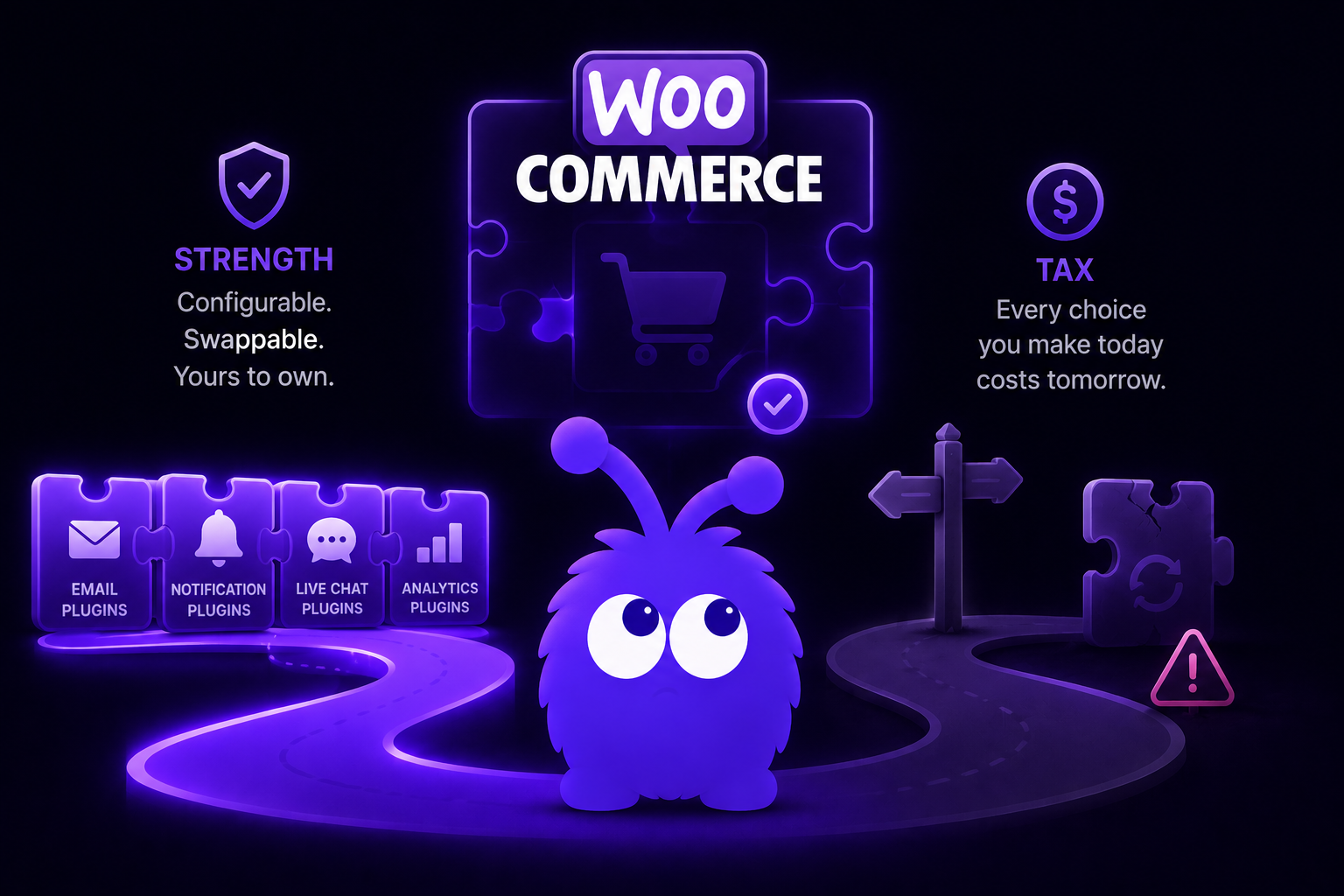
WooCommerce's plugin-driven architecture is both its strength and its tax. The strength: every part of the cart-abandonment surface is configurable, swappable, and yours to own. The tax: every store has to decide which of the four common plugin paths to take, and the wrong choice is expensive to migrate off later.
This article covers the four plugin paths, the WooCommerce hook surface for custom builds, and where in-session intervention fits.
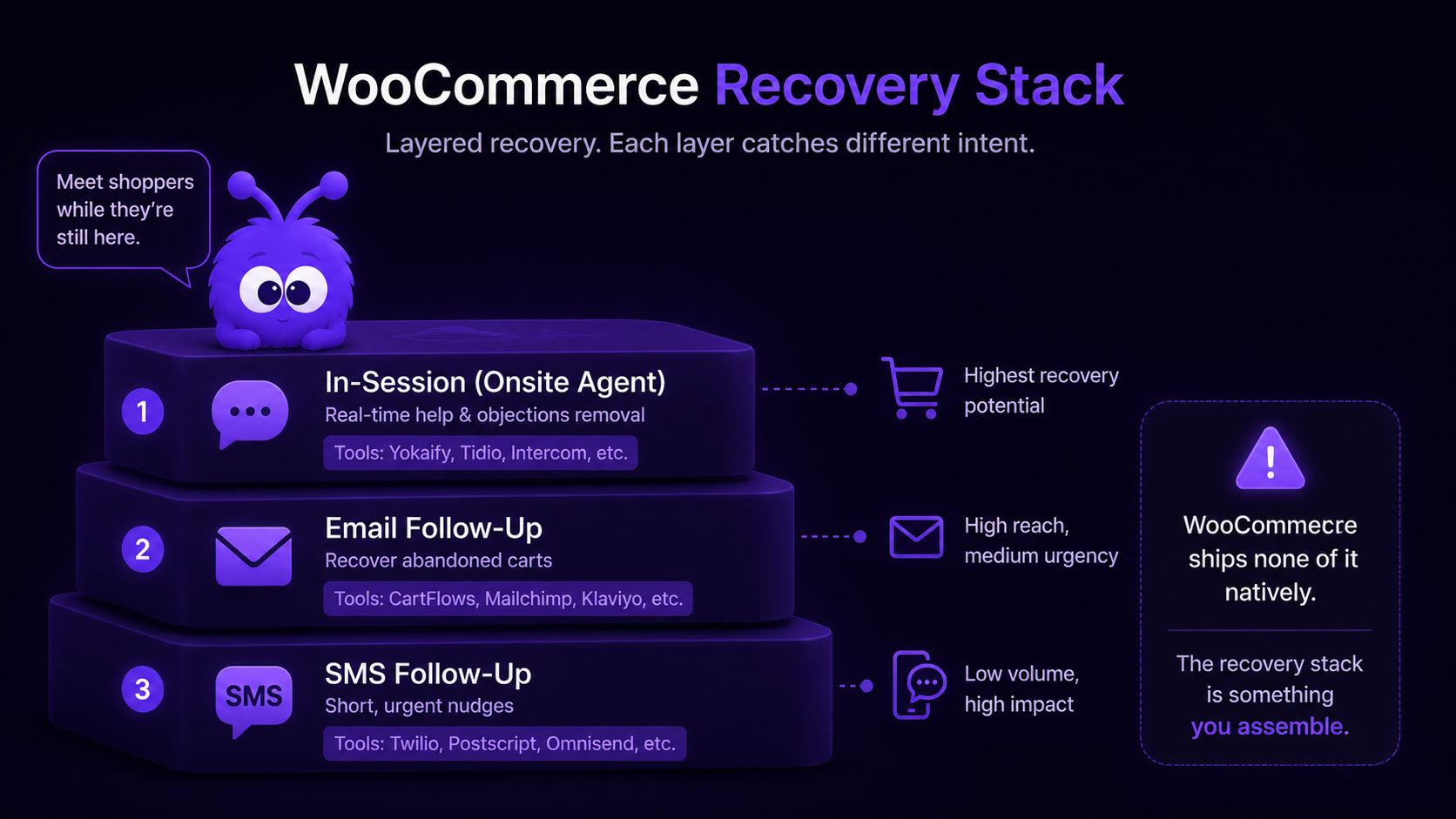
Does WooCommerce ship native cart-abandonment recovery?
No. Unlike Shopify (which ships native abandoned-checkout email on every plan), WooCommerce ships zero native recovery in 2026. WooCommerce's built-in cart-recovery feature is, essentially, hoping the shopper wanders back on their own. The platform's philosophy: ship a clean cart, let plugins handle workflows. The recovery surface is a plugin choice, not a platform feature.
The implication: every WooCommerce store either runs a recovery plugin, runs a dedicated ESP integration (Klaviyo / Mailchimp / Omnisend), runs a funnel platform (CartFlows / FunnelKit), or builds custom on top of the woocommerce_cart hooks. Running none of the above means zero recovery; the un-recovered abandoners simply never come back.
What's the simplest setup that works?
For stores prioritising "ship something today", the answer is Abandoned Cart Lite for WooCommerce by Tyche Softwares.
The plugin (free version with a $179/year Pro upgrade) ships:
- Abandoned-cart capture (logged-in users auto; guest-checkout users captured at the email-step on checkout).
- Single-email recovery sequence with template variables.
- Recovery-event tracking (clicked recovery link, completed purchase via recovery).
- Basic dashboard for recovered-revenue reporting.
Setup time: 30-60 minutes. Activate, configure the email template, set the send window, done.
Limitations: free version is rate-limited to 10 emails/day; Pro removes the limit and adds 3-message sequences. No SMS. No onsite recovery. The same limits as Shopify-native apply, plus the absence of the Shop Pay branch.
What's the right setup for Klaviyo users?
The Klaviyo for WooCommerce integration (official, free with Klaviyo subscription) is the strongest email-layer setup for stores already on Klaviyo or planning to migrate.
The setup:
- Install the Klaviyo plugin from the WordPress Plugin Directory.
- Connect to the Klaviyo account via API key.
- Klaviyo automatically receives WooCommerce events (cart-add, cart-update, order-placed) via the JS snippet plus server webhook.
- Activate the abandoned-cart flow in Klaviyo's flow library — battle-tested templates, multi-message sequences, A/B testing, segmentation.
Setup time: 2-4 hours.
Klaviyo's WooCommerce-side advantage: the Klaviyo SMS, Klaviyo email, and Klaviyo flow editor work identically across Shopify and WooCommerce. Stores running both platforms (multi-region operations are common) can share campaign templates without re-authoring.
What do CartFlows and FunnelKit offer?
The funnel-platform path is the "all-in-one" alternative for DTC stores running custom checkouts, one-click upsells, and order bumps.
CartFlows (~$249/year) ships custom checkout flows, A/B testable order bumps, one-click upsells, and a basic abandoned-cart sequence. The plugin is the lighter option; integrates with WooCommerce checkout but does not own the entire stack.
FunnelKit (formerly WooFunnels, ~$399/year) ships the same surface area plus deeper CRM (segments, automations, broadcast emails), more sophisticated abandoned-cart sequences with conditional branching, and the FunnelKit Automations plugin that competes directly with Klaviyo's flow library on price.
For DTC stores running upsells, order bumps, and cart-recovery in one stack, FunnelKit is the deepest single plugin.
How do I build cart-abandonment recovery with custom code?
The custom path is appropriate when:
- The four plugin paths don't fit the operational model (unusual workflow, EU residency, custom CRM integration).
- Engineering capacity is available to build and maintain.
- The store is high-volume enough to amortise the build cost.
The three-layer custom architecture:
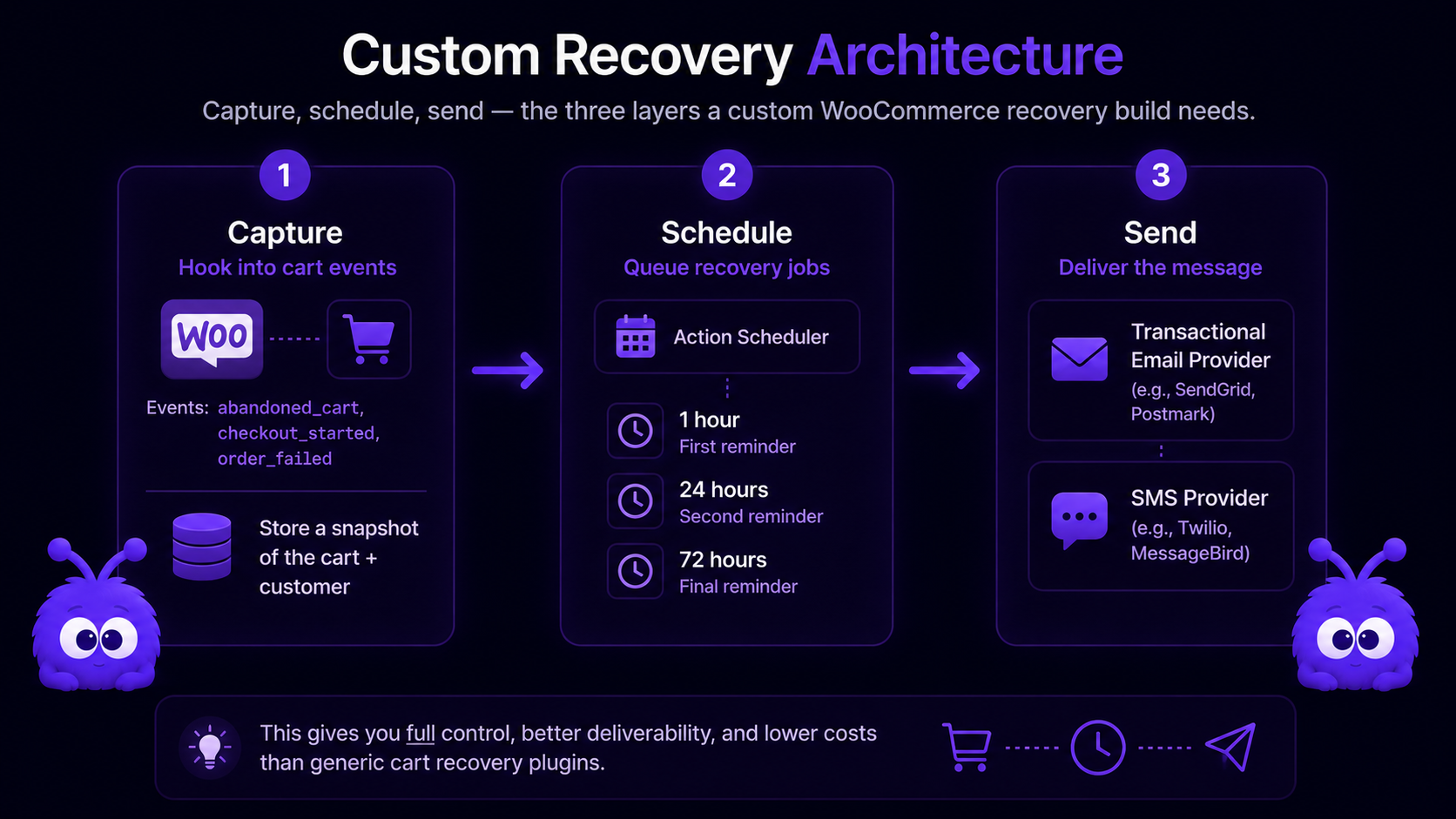
Layer 1: capture. Hook into the WooCommerce cart-state hooks:
add_action('woocommerce_add_to_cart', 'persist_cart_snapshot', 10, 6);
add_action('woocommerce_cart_updated', 'persist_cart_snapshot');
add_action('woocommerce_checkout_update_order_review', 'capture_checkout_email');
add_action('woocommerce_thankyou', 'clear_abandonment_state');
Persist cart state to a custom DB table keyed by visitor session or user ID. Capture email at the woocommerce_checkout_update_order_review hook (the first reliable point at which guest-checkout email becomes available).
Layer 2: schedule. Use WordPress Action Scheduler (WooCommerce's recommended job-queue runner since 2024 — it replaced WP-Cron for this use case because WP-Cron's "fires on page load" semantics are unreliable for time-sensitive sends). Schedule recovery jobs at 1h, 24h, 72h post-abandonment.
as_schedule_single_action(
  time + HOUR_IN_SECONDS,
  'send_cart_recovery_email',
  ['cart_id' => $cart_id, 'sequence_step' => 1]
);
Layer 3: send. The recovery action calls your transactional ESP (Postmark, Mailgun, SendGrid) directly via API, or hands off to a WordPress-native sending plugin. For SMS, hand off to Twilio or the consent-tracked SMS platform of choice.
Custom builds are 10-25 hours of engineering plus ongoing maintenance for plugin updates, ESP API changes, and edge-case handling. The path is appropriate; it is not the default.
What about the woocommerce_cart hook surface?
| Hook | Fires when | Use for |
|---|---|---|
| woocommerce_add_to_cart | Item added to cart | Cart-snapshot persistence, intent flagging |
| woocommerce_cart_updated | Any cart change (item, quantity) | Cart-snapshot refresh |
| woocommerce_remove_cart_item | Single item removed | Mid-session signal of cart shrinkage |
| woocommerce_cart_emptied | All items removed | Reset abandonment state |
| woocommerce_after_cart | Cart page render | Onsite intervention trigger point |
| woocommerce_review_order_after_cart_contents | Checkout cart render | Checkout-stage abandonment detection |
| woocommerce_checkout_update_order_review | Checkout step progressed | Guest-checkout email capture (first reliable point) |
| woocommerce_thankyou | Purchase completed | Reset abandonment state, clear scheduled jobs |
| woocommerce_checkout_order_processed | Order created | Same as above; fires earlier |
The hooks listed here are the cart-abandonment-relevant subset of the broader WooCommerce action-hook surface.
Where does Yokaify fit on WooCommerce?
Yokaify ships as a WordPress plugin distributed via the WordPress Plugin Directory and direct download. The runtime mounts via the standard WordPress integration pattern:
- The plugin enqueues the Yokaify runtime script via
wp_footer(the pattern documented in the wp_footer + wp_add_inline_script reference). - The runtime listens to the same WooCommerce cart events listed above, plus DOM-level signals (mouse, scroll, dwell).
- The agent triggers on cart-abandonment intent in-session — before any of the email recovery layers fire.
The integration with the four plugin paths above is non-conflicting:
- With Abandoned Cart Lite: Yokaify recovers in-session; ACL recovers post-session via email. Two non-overlapping cohorts.
- With Klaviyo: Yokaify in-session; Klaviyo email + SMS post-session. Three layers; recovery rate compounds.
- With CartFlows / FunnelKit: Yokaify in-session; the funnel platform handles checkout and post-session recovery. Same compound logic.
- With custom code: Yokaify is a WordPress plugin like the rest; integration is straightforward.
The runtime is platform-agnostic; the integration is platform-specific.
What this means for WooCommerce operators
A few implications:
- Pick a recovery layer on day one. Zero recovery is the WooCommerce default; the platform ships nothing native. Abandoned Cart Lite is fine for a first version; Klaviyo for a store that will scale; CartFlows or FunnelKit for DTC with upsells; custom for specific operational needs.
- Use Action Scheduler for any custom timing. WP-Cron is unreliable for cart-abandonment sends, and the same point applies to any time-sensitive WordPress workflow.
- The in-session layer is where Shopify and WooCommerce both leave money on the table. Yokaify (or any behavior-driven onsite agent) is platform-agnostic and catches the in-session cohort before any email or SMS layer ever fires.
The shorthand: WooCommerce gives you control over the recovery stack and makes you assemble it yourself. Pick the email layer that matches your existing tools, then add the onsite layer the platform does not ship.
Further reading
- GuideHow to recover abandoned carts: the playbookThe cross-channel recovery framework.
- GuideWooCommerce chatbot 2026 buying guideWhere Yokaify and other onsite tools fit on WooCommerce.
- BlogDetecting cart-abandonment intent in-sessionThe in-session signal layer that fires before email.
- Blogwp_footer + wp_add_inline_script: the safe patternHow Yokaify mounts on WooCommerce.
- BlogLazy vs eager widget loadingCaching and load-timing gotchas to plan around.
- ToolWooCommerce cart-recovery setup generatorGenerates the config snippets for the email layer.
Frequently asked questions
None. The recovery stack is plugin or custom-code only. Unlike Shopify, no native abandoned-checkout email.
Last updated June 10, 2026.